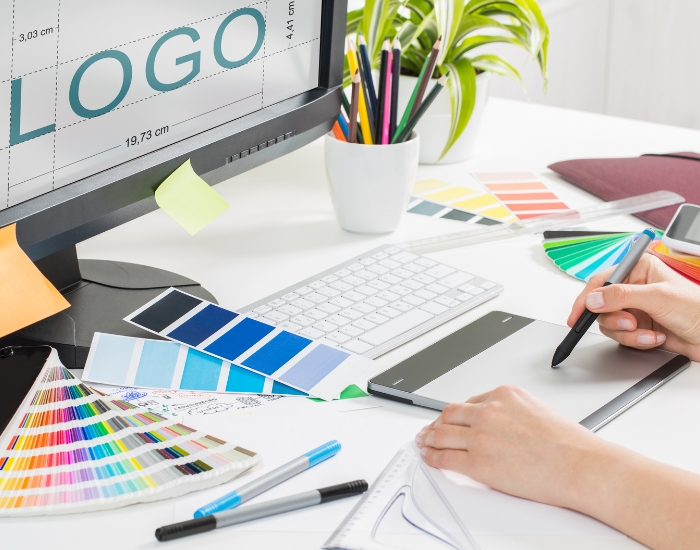
The core tool for logo design is vector software such as Adobe Illustrator (or alternatives like Affinity Designer, CorelDRAW or Inkscape), because vector logos scale cleanly from a business card to a billboard. Most designers pair it with a raster editor like Photoshop, plus color and font tools, mockup generators, collaboration apps and inspiration sites. The right mix helps designers work faster and deliver logos that stay consistent everywhere they are used.
Note: software features, plans and pricing change often. Check each provider’s website for current details before choosing a tool.
Vector Design Tools: Adobe Illustrator and Alternatives
For professional logo creation, vector-based tools are essential. Adobe Illustrator is widely regarded as the industry standard, offering the precision and scalability needed for clean, professional logos.
Alternatives such as Affinity Designer, CorelDRAW and Inkscape (a free, open-source option) also offer capable vector editing, often at different price points. With any of these, designers can create logos that look sharp on storefront signage, social media graphics and business cards alike. If you already have a logo that only exists as a low-resolution image, logo vectorization can convert it to a scalable format.
Raster Graphics Tools: Photoshop and Affinity Photo
While vectors handle shapes and scalability, raster tools like Adobe Photoshop or Affinity Photo let designers work with textures, gradients, photos and effects. Combining vector and raster software helps designers create logos and brand visuals that work across print, digital and promotional materials, and supports retouching and complex compositions for wider branding projects.
Collaboration and Project Management Tools
Busy design teams need an efficient workflow. Tools such as Trello, Asana, Slack and Notion help teams manage projects, communicate with clients and track deadlines. Shared boards and message threads make it easier to gather feedback, share assets and keep every concept aligned with the client’s vision.
Color Palette and Typography Tools
Choosing the right colors and fonts is key to a strong logo. Tools such as Coolors and Adobe Color help designers explore and test palettes, while Google Fonts offers a large library of typefaces to try. Testing combinations helps a logo convey the right emotion, stay readable and remain consistent across digital and print materials.
Mockup and Presentation Tools
Presenting logos in context helps clients picture the final result. Mockup services such as Placeit, or 3D tools from the Adobe family, let designers show a logo on t-shirts, packaging, signage or screens. Good mockups make feedback more specific and can help clients approve concepts with fewer rounds of revisions.
AI-Powered Design Tools
AI tools, including logo generators and AI features built into design platforms such as Canva, can offer quick inspiration and layout ideas. They can be useful for brainstorming, but automated results often look generic. Combining any such inspiration with a professional designer’s judgment is what keeps a logo unique and tailored to the business.
Icon and Asset Libraries
Libraries such as Flaticon, The Noun Project and Envato Elements provide icons, symbols and vector elements that can speed up mockups and supporting graphics. For a logo itself, be careful: stock elements may carry license restrictions and are available to anyone, so a logo you intend to register or trademark should be built from original artwork. Always read the license terms.
Testing and Scalability Tools
A professional logo must work at any size and in any format. Export options in Illustrator, along with tools like Figma, let designers preview a logo at small and large sizes and across different backgrounds, so it stays crisp and readable on everything from a phone screen to a billboard.
Inspiration and Trend Tracking
Platforms such as Dribbble, Behance and Pinterest showcase current work in typography, color and visual style. They are useful for staying informed, but the goal is a logo that fits the client and still looks right years from now, not one that simply follows the latest trend.
Final Thoughts
The right tools matter as much as creativity. Vector and raster software, color and type tools, mockups, collaboration apps and inspiration sites together help designers work efficiently and deliver versatile, scalable logos.
At Logo Design Phoenix, designers create custom logos in Adobe Illustrator and Photoshop and deliver files in JPG, PNG, AI, EPS, PSD and PDF formats. If you would rather have a professional handle the tools for you, explore our logo design services or see examples in our portfolio.
Frequently Asked Questions
What software do professional logo designers use?
Most professional logo designers work in vector software, with Adobe Illustrator the most common choice. Affinity Designer, CorelDRAW and Inkscape are popular alternatives.
Why should a logo be designed in vector format?
Vector artwork is made of shapes rather than pixels, so it can be scaled to any size, from a business card to a billboard, without becoming blurry.
Can AI tools replace a professional logo designer?
AI tools can help with quick inspiration, but their results often look generic. A professional designer tailors the logo to the business and makes sure it is original and scalable.
Is it safe to use stock icons in a logo?
Stock icons may have license restrictions and are available to anyone, which can make a logo hard to protect. Original artwork is the safer choice for a logo you plan to register.